Case study
One language for AI
When every product is shipping an assistant, who decides what AI looks like, and how does a user check what it said?
Context
The AI validation gate decided which AI features deserved to exist. This is what came after: the company's strategy became an assistant on every product, and they started arriving. Regulatory intelligence, CMC, target safety in OFF-X, search across Cortellis itself, and more on the way.
The people on the other side of those assistants are regulatory affairs specialists, safety scientists, CMC teams. They take an answer into a submission or a safety review and have to defend it. A fluent answer they can't trace is worse than no answer at all.
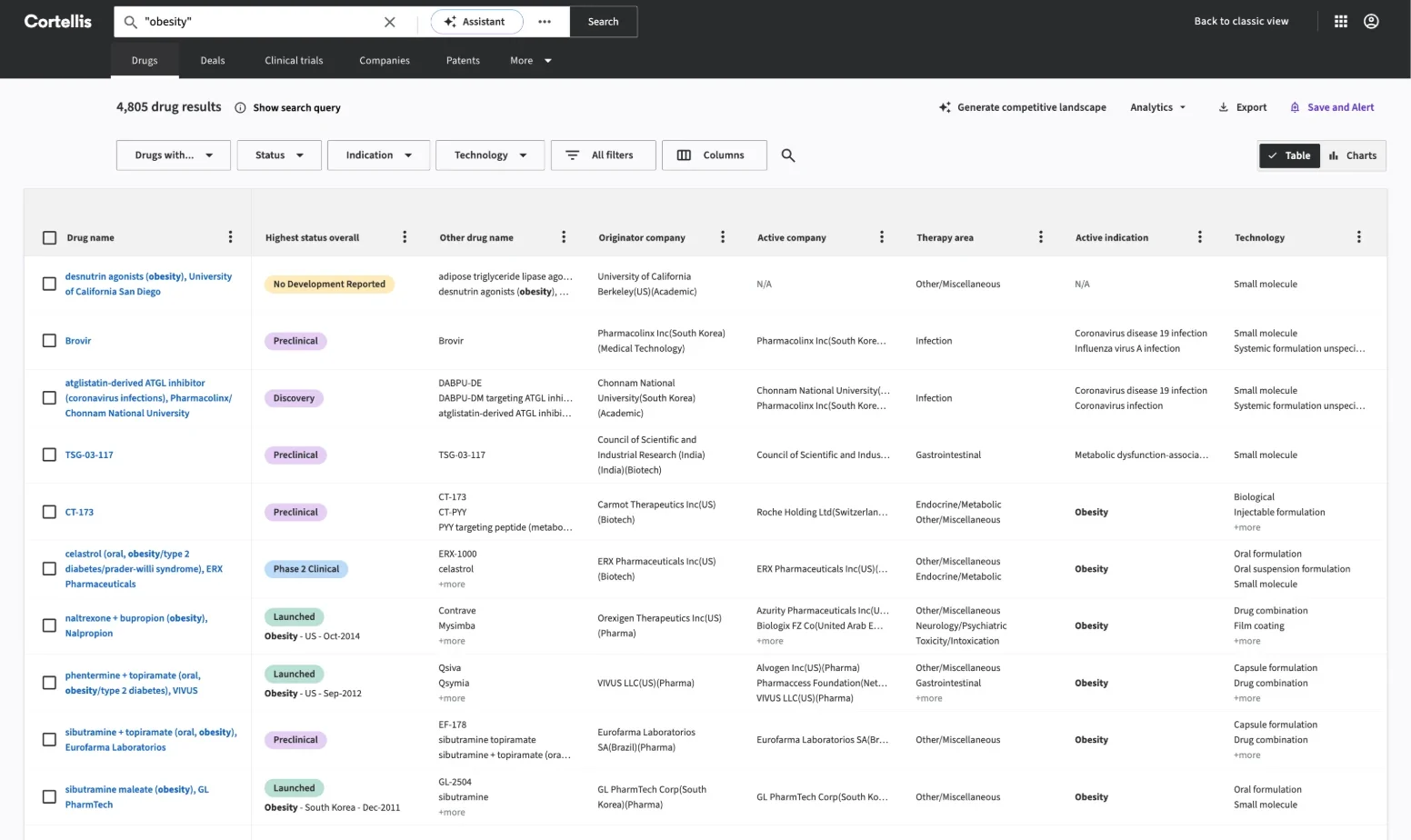
The screens on this page are from the shipped products.
The problem
Three problems, arriving together:
- Every team was rebuilding the same things. When we reviewed three production apps side by side, each team had built its own app shell, filters, dialogs, loading and empty states, data grids, export flows, and its own assistant. Helix documented components, but not the compositions people needed.
- AI defaults to a chat box in the corner. Left to momentum, every assistant becomes the same detour: leave the data, type into a window, copy the answer back. For work that lives in a table, that is the wrong shape.
- The guidance was already drifting. Instructions for developers and for AI coding assistants were being kept by hand in several places, and they had already fallen out of step with the theme. As AI writes more of the code, the guidance an agent reads becomes part of the design system whether you design it or not.
The decisions
Principles in the system, not in a deck. Helix's AI foundations set three rules for every AI feature. Transparent: users always know when content is generated. Assistive: AI supports the decision; it doesn't make it. Trustworthy: predictable states, feedback and explanations. They sit in the public documentation next to colour and type, where a product team will read them.
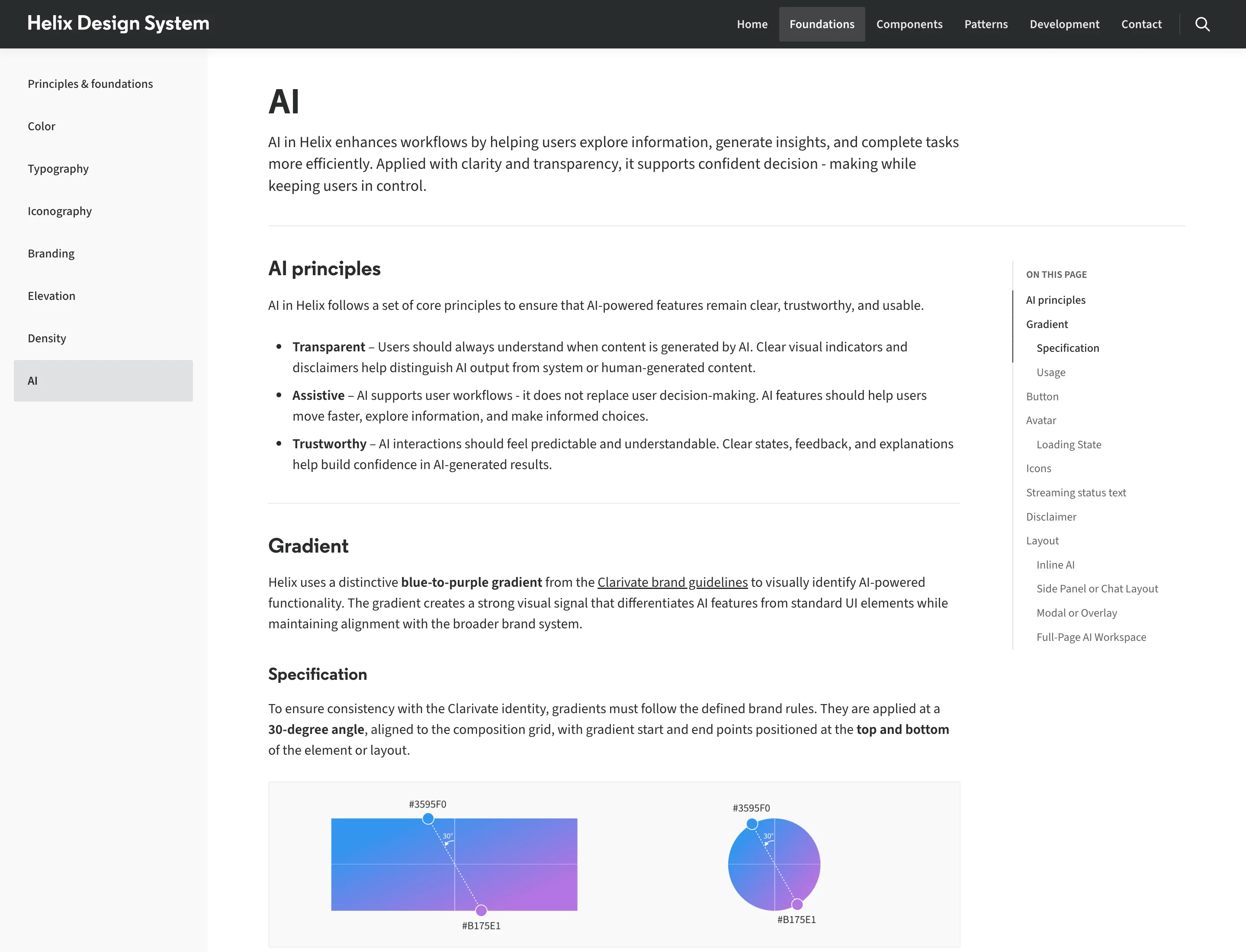
One signal for "the model wrote this". A reserved blue-to-purple gradient, an AI avatar, an AI tone of the ordinary button, and the same disclaimer under every assistant. A user who learns the signal in one product can read it in the next, which matters when the same scientist works across several of them.
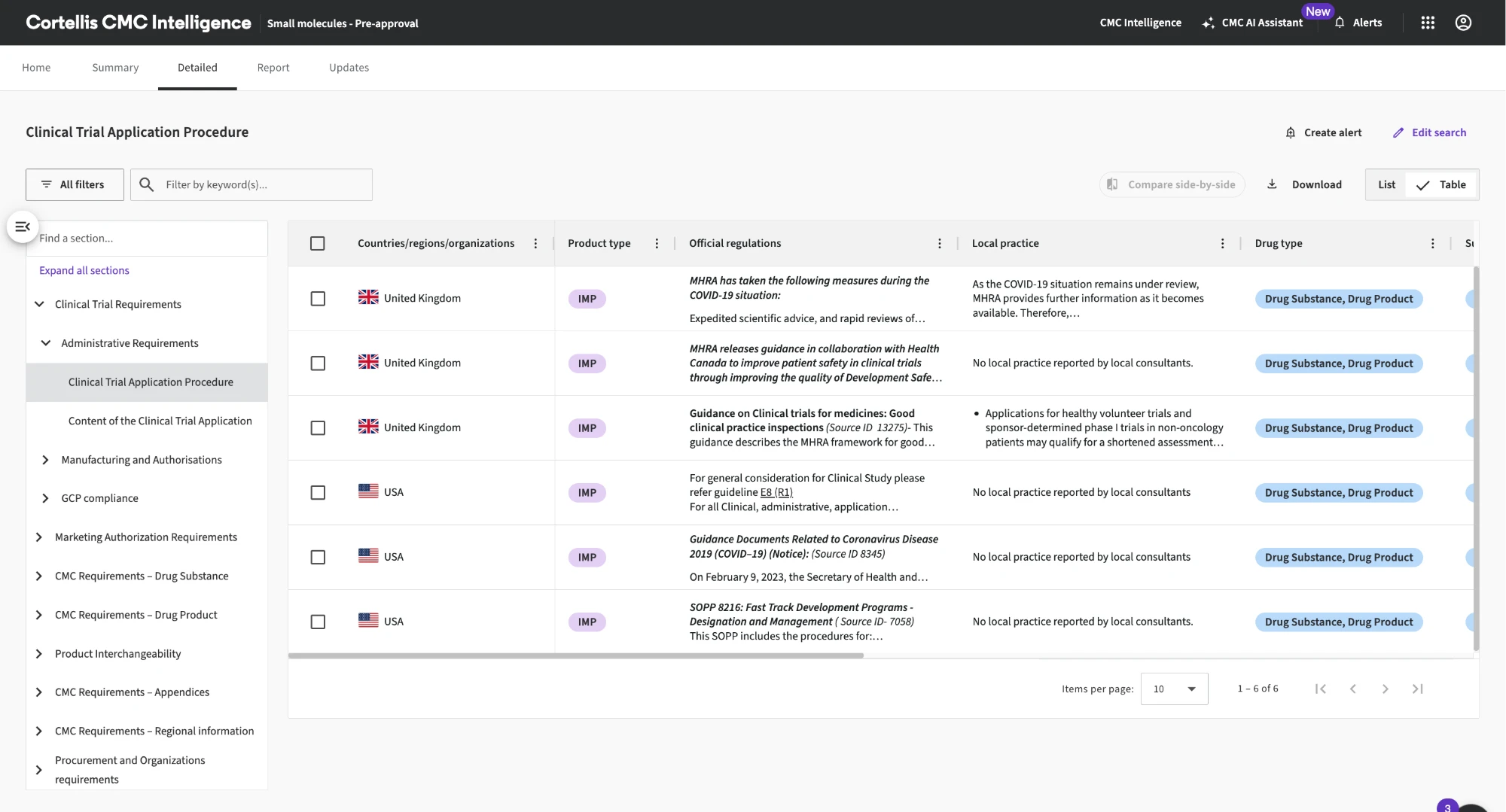
Put AI where the work is. The work in these products happens in a table: thousands of drug records, adverse events by organ class, regulations by country. So the patterns go beyond chat. The assistant has a fixed way in, from the header or the search bar. Actions apply to the results in place. And in these products, the assistant opens beside the data.
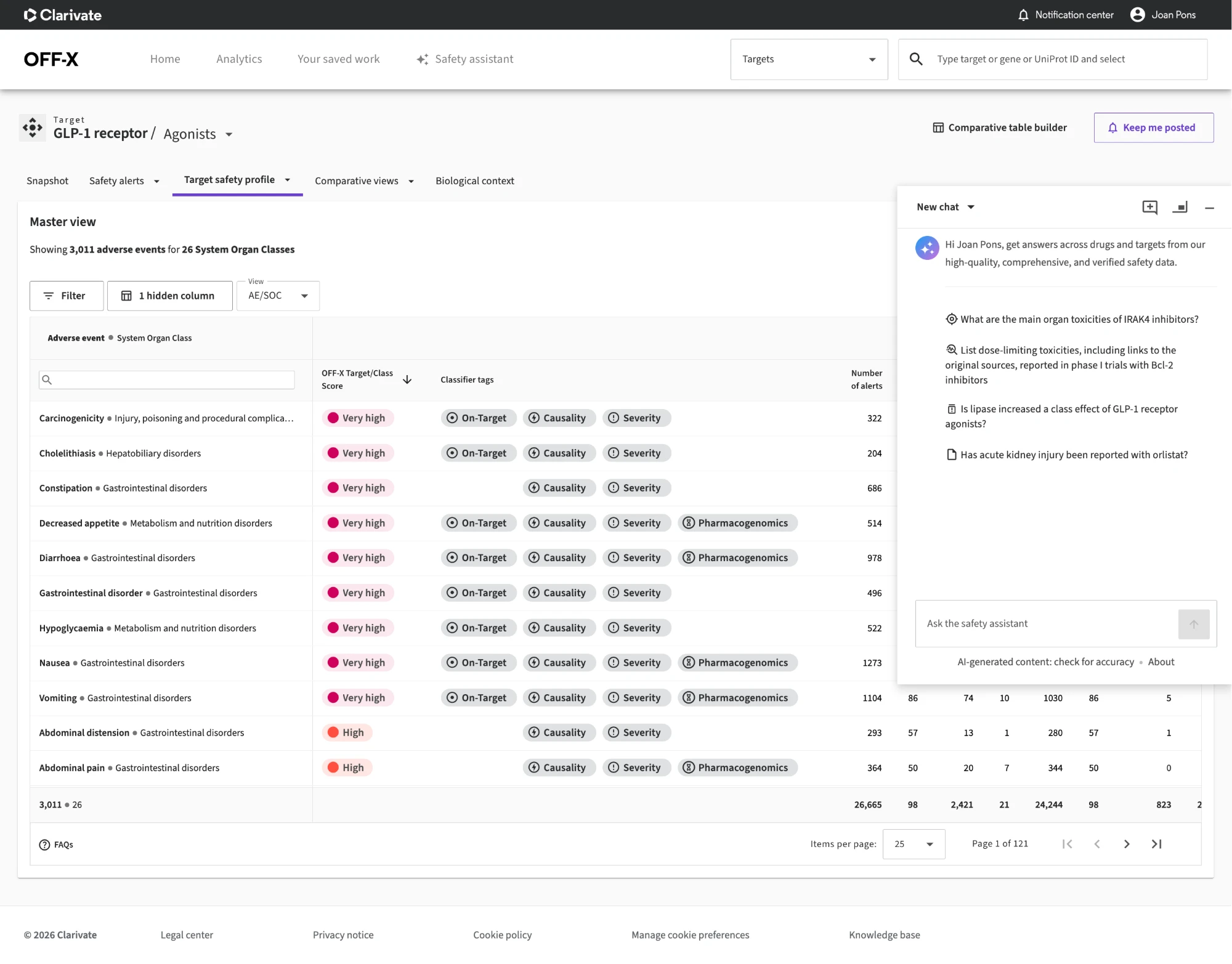
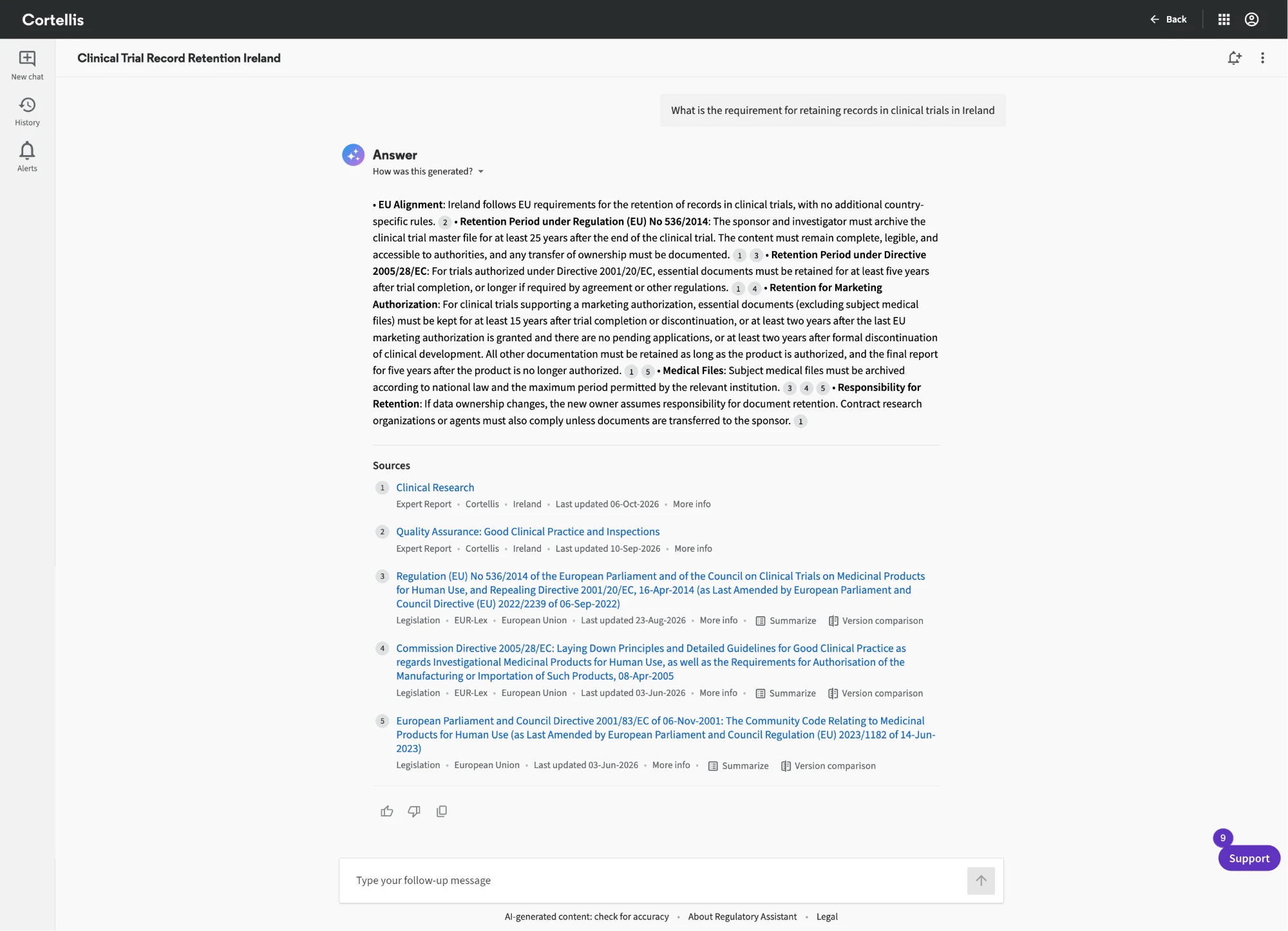
Make trust a pattern, not a disclaimer. A footer line saying "check for accuracy" isn't enough. The pattern ties each claim in an answer to a numbered citation. The sources are listed and ranked, with their type, origin and date, and each can be summarized or compared against its previous version. A collapsed How was this generated? shows the steps behind the answer. This is design for the user who has to defend the answer, turned into components.
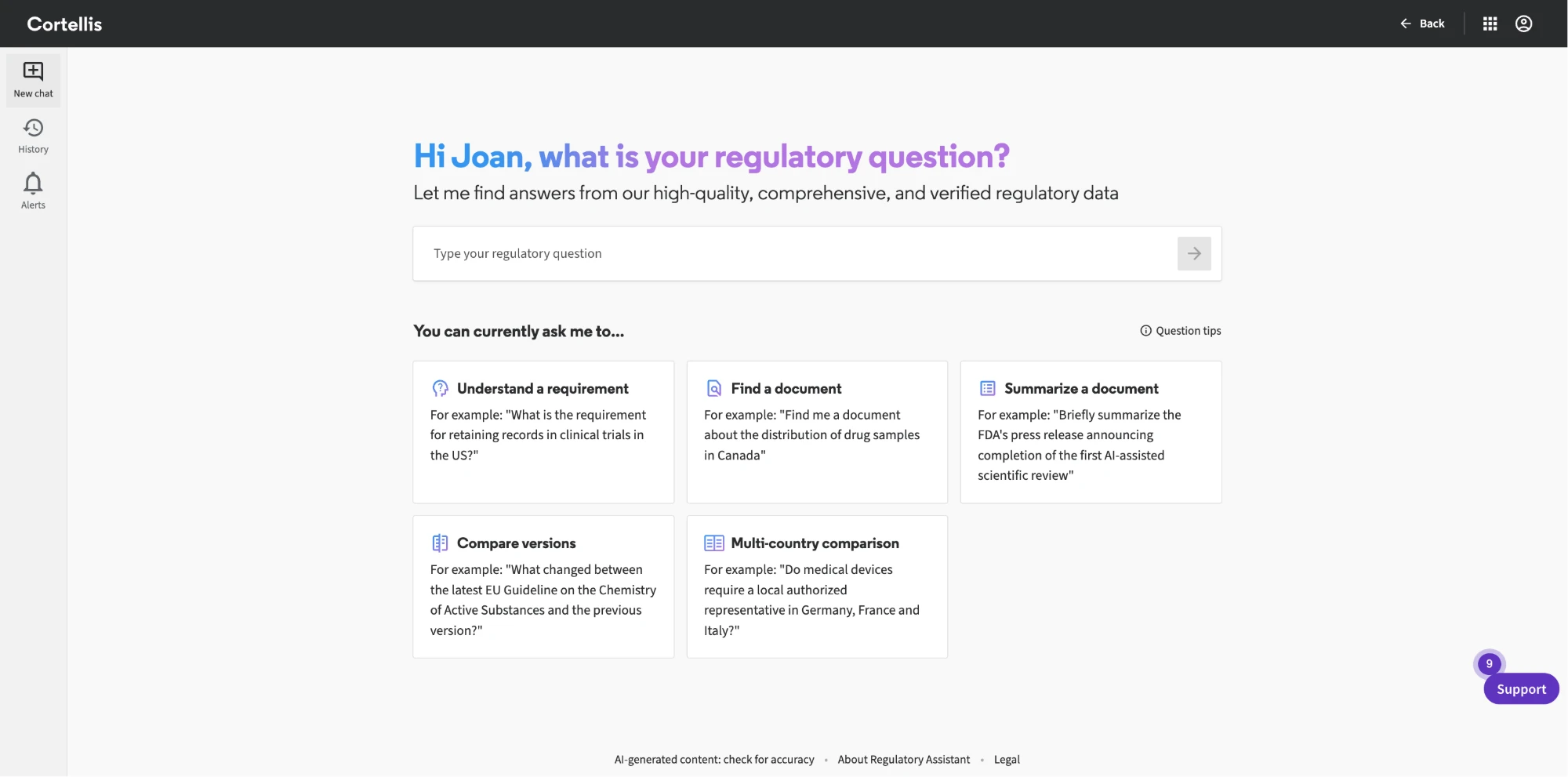
No blank box. An empty assistant is a test the user didn't ask to take. The landing state teaches the job instead: what this assistant can do, each with a real example in the user's own language.
Validate before codifying. A pattern earns its place in the system twice: first through the validation gate, then with customers. Every product and every assistant has had at least one innovation programme or beta with customers, co-led by UX and Product as part of the company's co-development strategy. What survives that goes into Helix; what doesn't stays a prototype.
Write it once, for people and for agents. Each
pattern is written as one structured guide, and the rest is generated
from it: Storybook stories and, through a generator I built, instructions
for AI coding agents: skills for Claude Code, an AGENTS.md
block for Cursor and other agents, and GitHub Copilot instructions,
matched to the installed Helix version. The same guides are set to feed
the documentation site, so designers, developers and agents read from
one source. Ask an
agent for "a list page with filters and a data grid" and it composes the
documented patterns instead of inventing new ones. The guidance is
public on GitHub.
What happened
- An assistant on every product is now company strategy. The ones on this page, Cortellis Regulatory, CMC, OFF-X target safety and Cortellis search, ship on the same Helix AI language, and new ones follow the same path.
- A pattern library beyond chat: 19 composed patterns, nine of them for AI. Generation trace, sources and citations, inline actions, generate and rewrite, usage and limits, prompt starters, entry points, chat history, and the assistant itself.
- Guidance for agents, in public. The same patterns ship as instructions for Claude Code, Cursor and Copilot, so an agent starts from the documented patterns.
What I'd tell another design leader
- The AI layer is where a design system earns its keep. How AI looks, behaves and proves itself across a portfolio is a system question, and the design system is already where those get answered.
- A claim without a source isn't finished. A regulated user should be one click from the source of anything the assistant says, however good the model is.
- Put the assistant beside the work, not instead of it. In data-heavy products the table is the job. Design AI to act on it.
- Your design system's next user is an agent. When coding assistants write the code, the guidance they read is part of the system. Write it once, and hand it to agents too.
Related: where it started: The AI validation gate · the system underneath: Helix · customers inside the process: Research as an operating system · the essays behind it: Design for the user who has to defend the answer · The assistant is scaffolding · Your next user is an agent